Onboarding
Here is the whole setup, start to finish. It takes a few minutes, and we do the heavy lifting from there. Once your project is set up, we generate the variants for you and let you know when they are ready for your approval.
1. Create your account
Section titled “1. Create your account”Visit app.farcasts.com and create an account. Feel free to open the editor and generate a few variants to see how this works.
2. Add your website
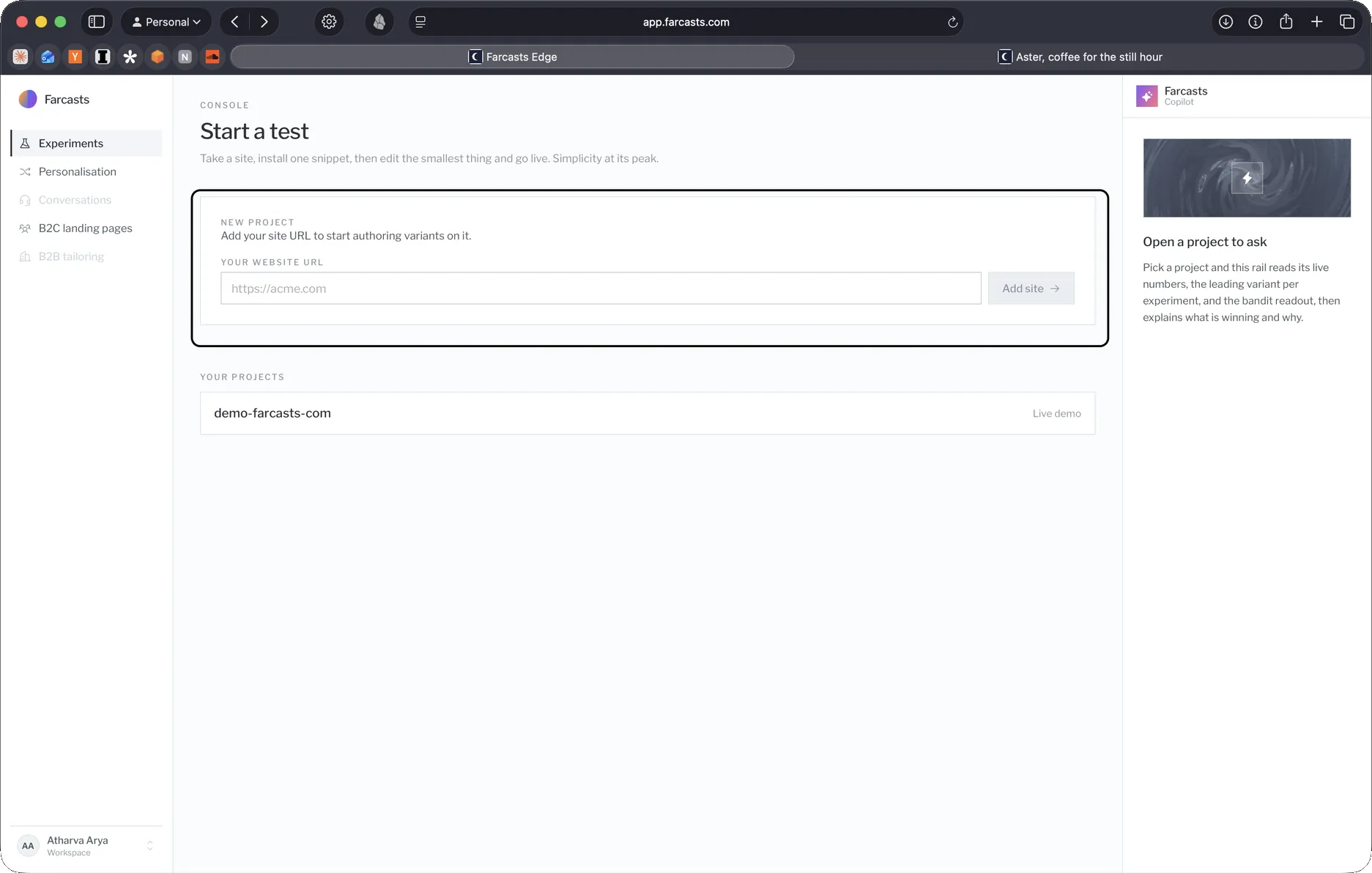
Section titled “2. Add your website”Enter your site URL to start authoring variants on it.
3. Connect your ads
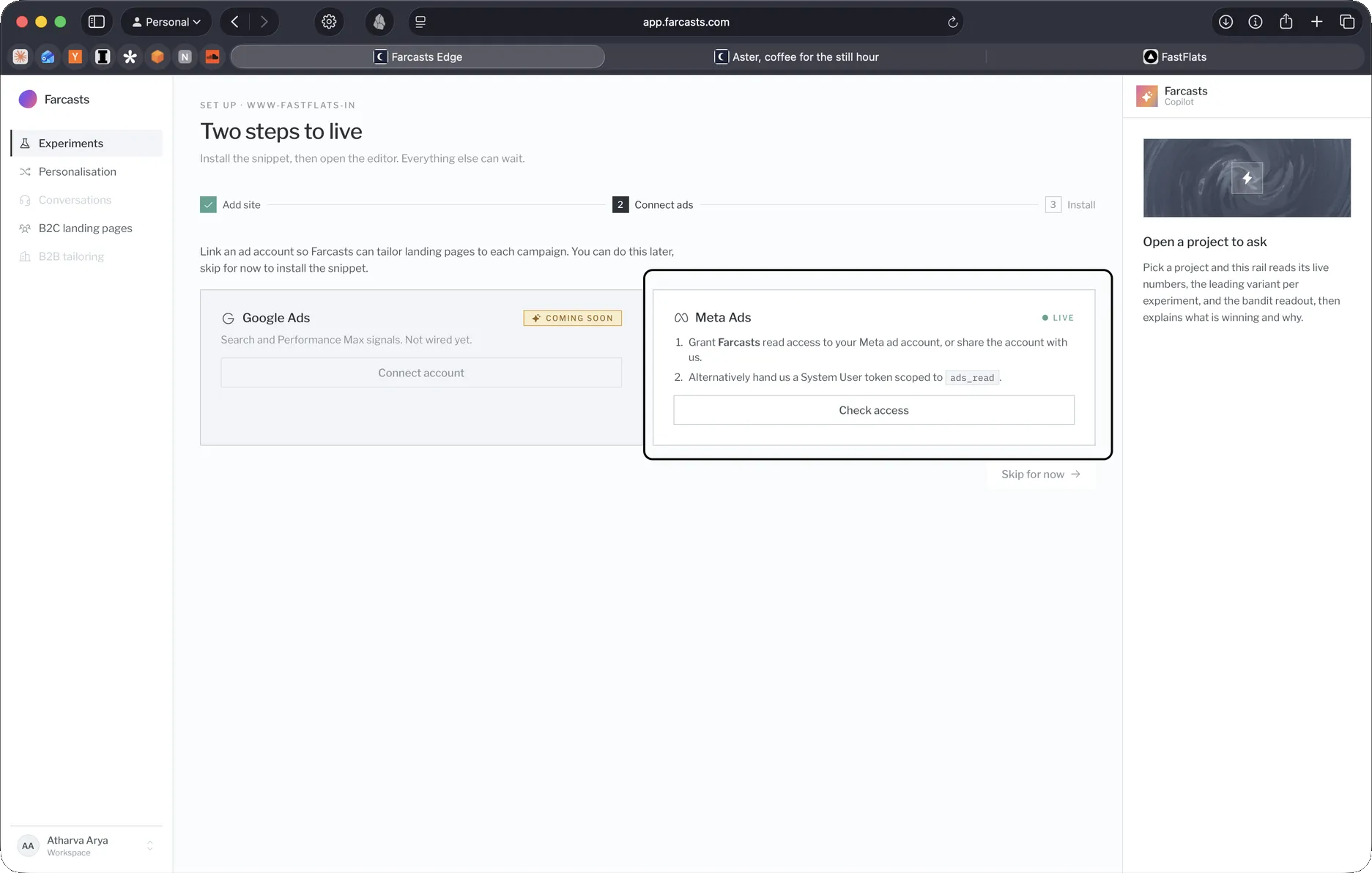
Section titled “3. Connect your ads”Connecting your ads lets us read how each variant performs, so we can pick the winners for you. It is optional but recommended, and it is read only, so we can never edit your campaigns, budgets, or billing. Connect whichever platforms you run on, one or both.
- Connect Meta ads: share your ad account with the Farcasts business (about two minutes, view only).
- Connect Google Ads: link the Farcasts manager account and accept (read only).
4. Install the snippet
Section titled “4. Install the snippet”The last step is adding Farcasts to your site. Pick whichever route fits you:
- Shopify: install the app from the link we send you and it turns Farcasts on for you, no code.
- Add Farcasts to your site: on any other platform, paste one line into your site’s
<head>.
Once that is live, head back to your dashboard and open your project.
We are a text away
Section titled “We are a text away”If anything comes up, we are a text away and happy to help. We want minimum effort from your end, and we do the heavy lifting.